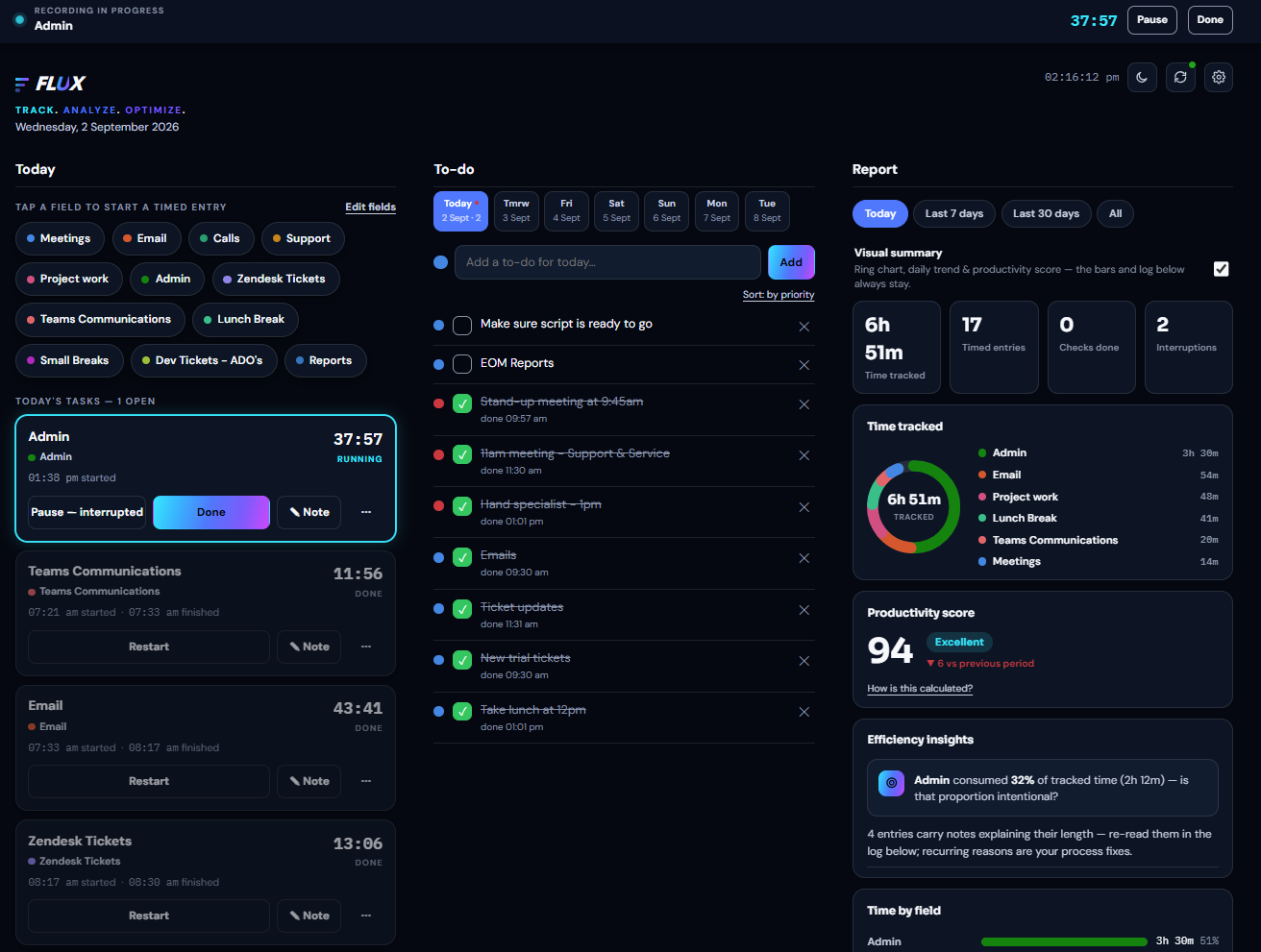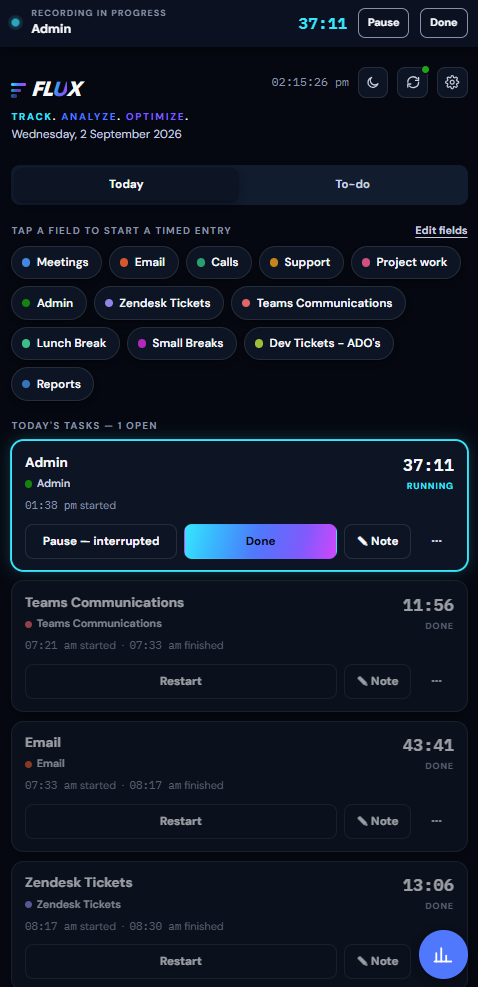
01 / TODAY
Capture the day without slowing it down
One-tap category chips, a live timer and a clean history keep tracking close to the work. Works on desktop and mobile, synced in real time.
 Try FLUX free
One-tap timed entries turn a normal workday into a clear picture of where your time goes, where focus breaks, and what to change. Built for desktop and mobile — sync both devices and start, pause or finish a timer on whichever one you're on, in real time.
7-day free trial · No credit card required · Then $9 NZD/month
Your tracked time is the source. FLUX gives those moments context — not just what happened, but the shape of the day.
One-tap category chips, a live timer and a clean history keep tracking close to the work. Works on desktop and mobile, synced in real time.
Active work stays obvious. Pause for an interruption, add a note, or finish up — without hunting through menus.
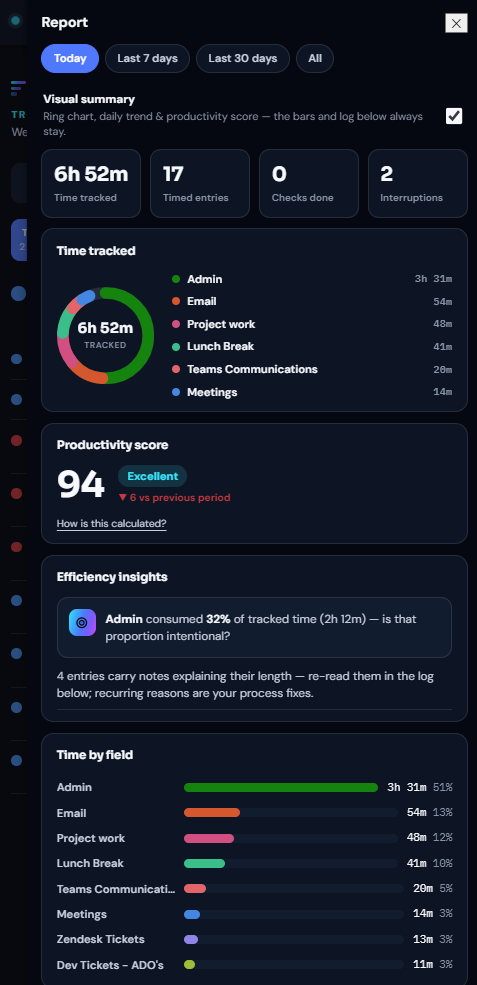
See focus leaks, fragmented work and dominant time sinks — the report reads your day so you don't have to.
Patterns get useful when you can compare them. Protect strong windows, reduce recurring friction.
FLUX starts with what actually happened — not what you intended to happen.
Capture tasks as you move through them, one tap at a time.
Build a private history of where your time actually goes.
Reveal patterns, interruptions and friction in a report built for you.
Change the system, not just the stopwatch.
Every timed entry rolls into a workday score, a focus ring, and a short list of efficiency insights — the fixes worth making this week. This is the actual full analytics dashboard, not a mockup.
Flags the blocks where attention broke most often, so you can see which parts of the day fragment first.
Surfaces the categories quietly eating the most of your week, even when no single day feels unusual.
Finds your strongest concentration period so you can protect it and schedule the hard work there.
FLUX exports to Excel. The Analyser is a workbook you paste that export into. It fills itself in — and because it holds the whole export at once, it can ask things the app never can, since the app only ever shows you one date range at a time.
How much of the working day actually carries a timestamp — and how many hours left no trace at all.
How fragmented each day was, and a grid of which kind of work keeps handing off to which.
Your range split down the middle and the two halves put side by side, measured per active day so they compare honestly.
Set an hourly rate per field and the whole period prices itself, field by field.
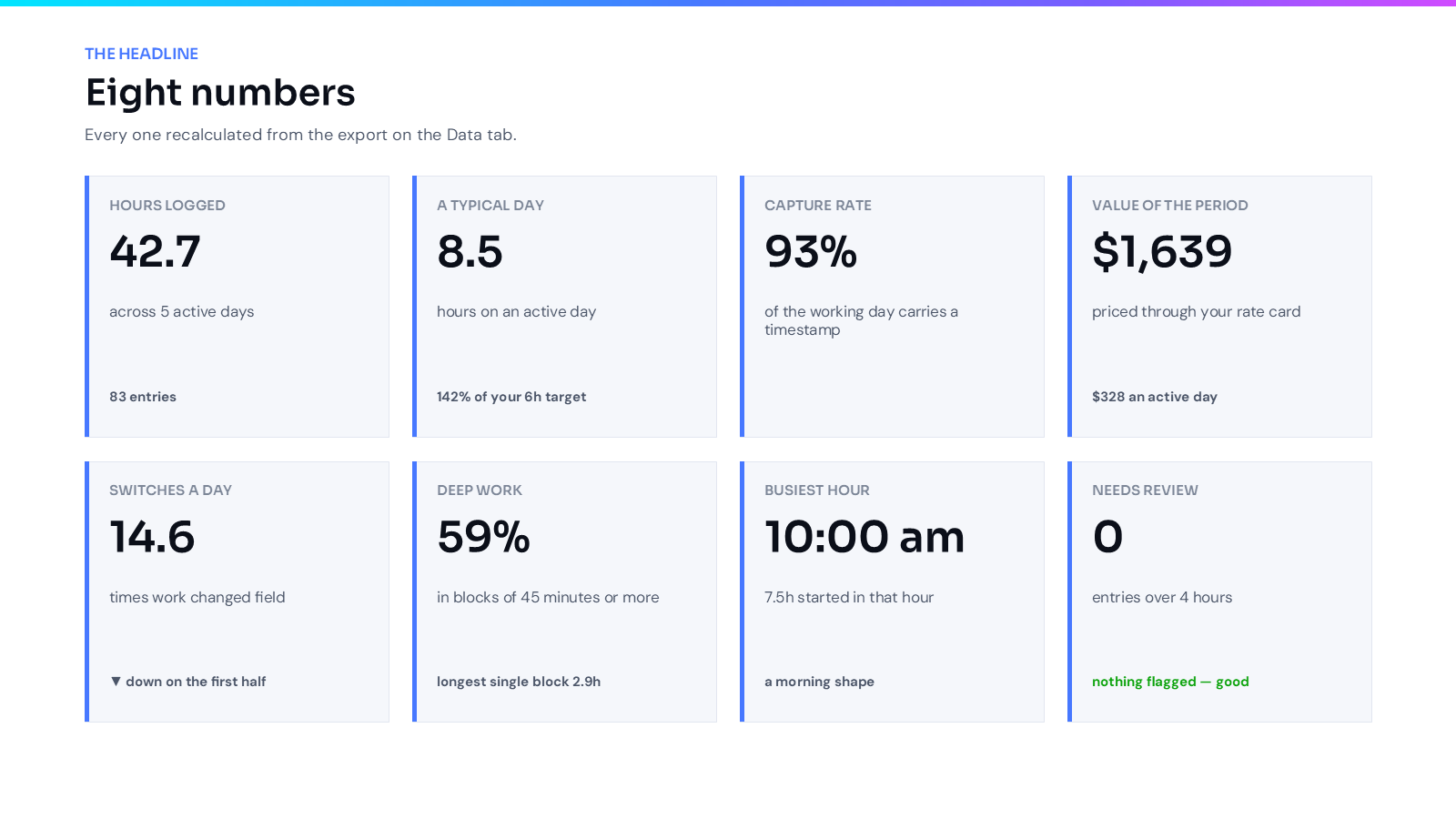
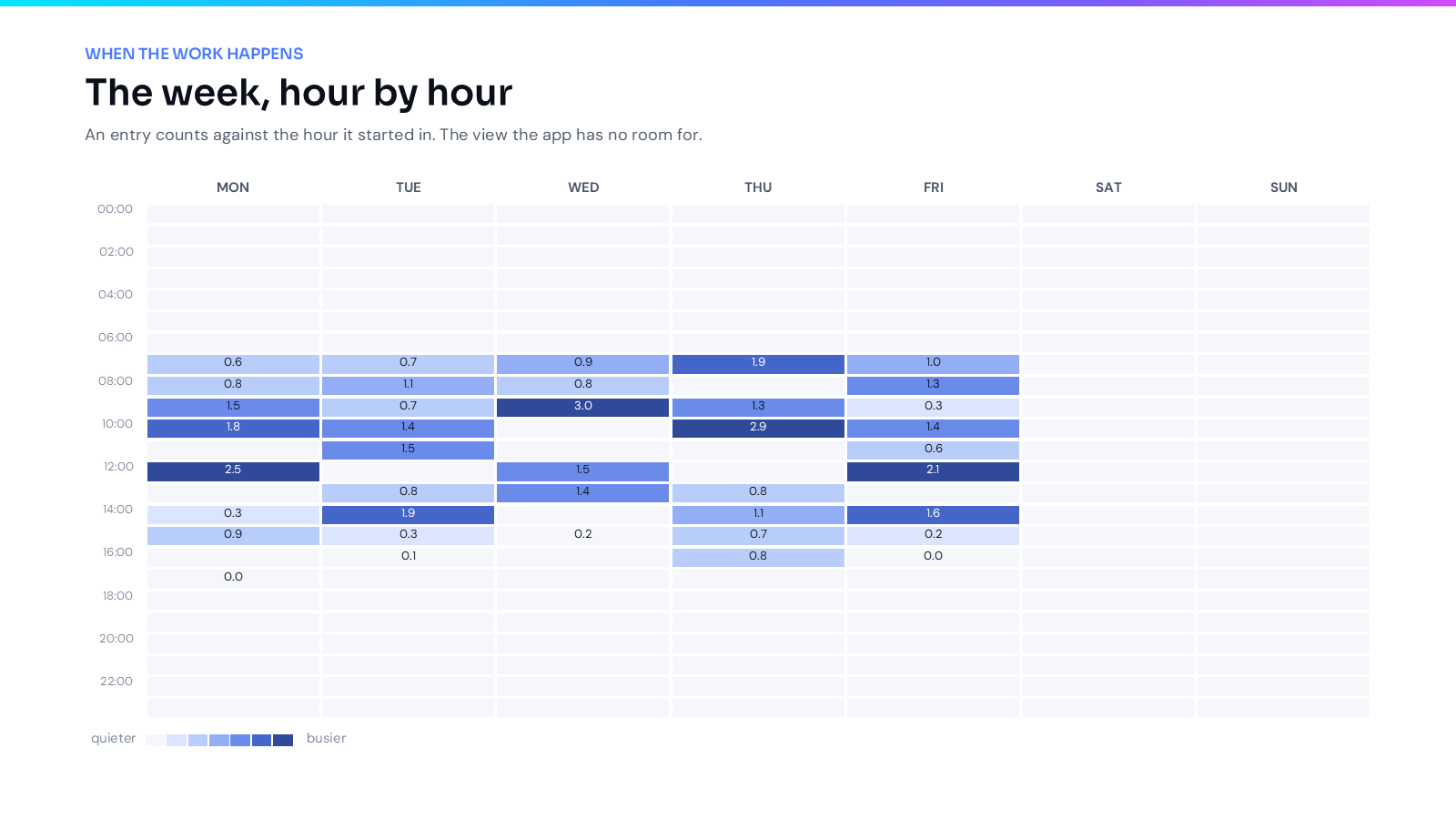
Ten tabs that fill themselves in from your export. Nothing to install and no macros — it opens like any other spreadsheet.
Download the workbookTurns the whole report into an eleven-slide deck — real editable slides, not screenshots. You run it from the folder, and the workbook has a button that opens that folder for you.
Download the add-onBoth are free with any FLUX plan. Everything in the workbook works from the single file — the PowerPoint export is the only part that needs the add-on.
Every plan starts with a 7-day free trial. No credit card required.
Billed monthly. Cancel anytime.
Start free trialTwo months free vs. paying monthly.
Start free trial